With limit and stop orders on TBC Mobilebank’s investment platform, you can buy or sell stocks at your preferred price without constantly monitoring the market.
Limit Order — Buy or Sell Stocks at Your Preferred Price
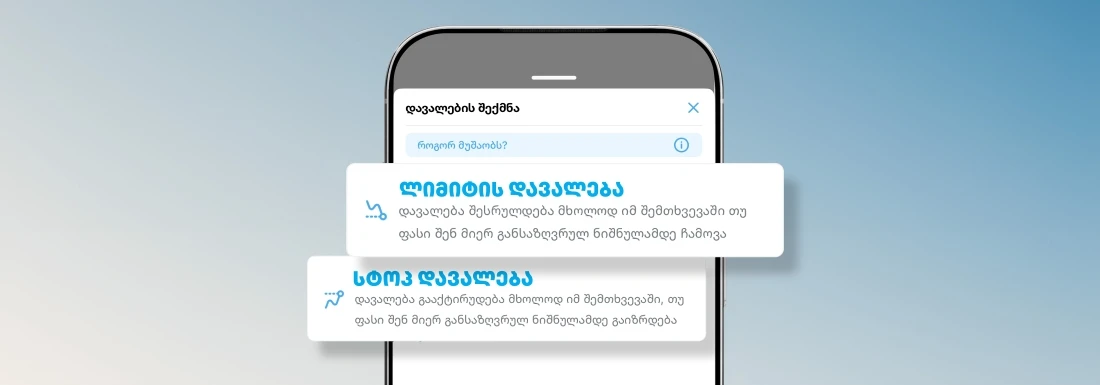
A limit order allows you to specify the price at which you want to buy or sell a stock. When the stock reaches the price level you set, your buy or sell order is automatically executed at your specified price or a better one. This helps you buy or sell stocks at a favorable price without having to constantly monitor the market.
For example, a stock of Company X is trading at $100. You want to buy the stock if its price drops to $90 and sell it at $110. Once these price levels are reached in the market, the limit order will buy the stock at $90 or less and sell it at $110 or more. This way, limit orders allow you to define your preferred buying and selling prices in advance.
Limit order rules:
When buying: The target price set by the user ($90) must be lower than the current price ($100). Otherwise, the order will be executed at the market price.
When selling: The target price set by the user ($110) must be higher than the current price ($100). Otherwise, the order will be executed at the market price.
Stop Order — Protect Your Investment Against Market Risks
A stop order helps you set a minimum price at which you want to sell your stocks. Once the price you specify is reached in the market, the sell order is automatically activated, and the transaction is executed at the price available at that moment.
Unlike a limit order, the final execution price of a stop order may differ from the price you specified. A stop order can help you manage risk and protect your portfolio during periods of significant market volatility. When the price approaches the threshold you have set, the stop order is triggered to help limit potential losses.
For example, a stock of Company X is trading at $100. Using a stop order, you instruct the platform to sell the stock once its price falls to $90, as you do not want to hold it if the price drops further. Once the stock reaches $90, the stop order is automatically activated, and the stock is sold at the market price available at that moment (for example, $88 or $92).
The same principle applies when using a stop order to automate stock purchases. Stop orders can be particularly useful in volatile markets, where prices change rapidly and you may not be able to monitor the market constantly.
Simplify your investing with TBC Mobilebank’s investment platform
This is not financial advice



 TBC Bank 2026 - All Rights Reserved