
ქარ


Transfer Money to a Business Account Using a QR Code
Transfer money to a TBC business account instantly and free of charge by scanning a QR code.
Product Benefits
Make transfers using the TBC Mobile Bank or another bank's mobile banking app
Funds are credited to the recipient instantly
Download and print the QR code directly from the Mobile Bank
How to Receive Money
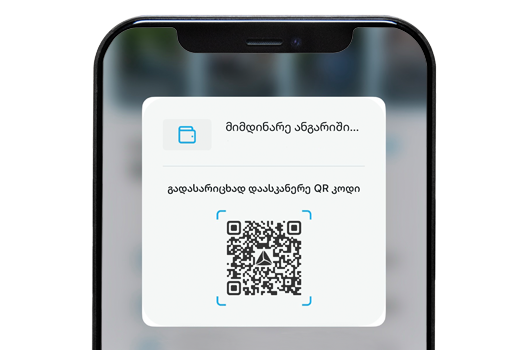
Go to the Business Mobile Bank home screen and long-press the desired account. A unique QR code for that account will appear on the screen. Share the QR code with an individual so they can transfer money to your account.
Frequently Asked Questions
How is the QR code generated?
How can I share the QR code?
How long does it take for the funds to be credited to a TBC account?
How can I transfer funds to TBC?
Who can use this feature?
Is there a fee for the transfer?
Which payment methods can I use?
What happens if I scan the QR code using the Mobile Bank scanner?
Can I transfer funds in foreign currency?
What is the maximum amount I can transfer per transaction?
 TBC Bank 2026 - All Rights Reserved